Elementor Data Updater Error Fix
Not too long ago I encountered an error
On a couple of client sites and my own the process of updating Elementor led to the familiar “Database Update” but for some reason it wasn’t working in the backgournd and I couldn’t force it to take effect.
(Post contains affiliate link to Elementor)

Clicking the big blue button created this issue:
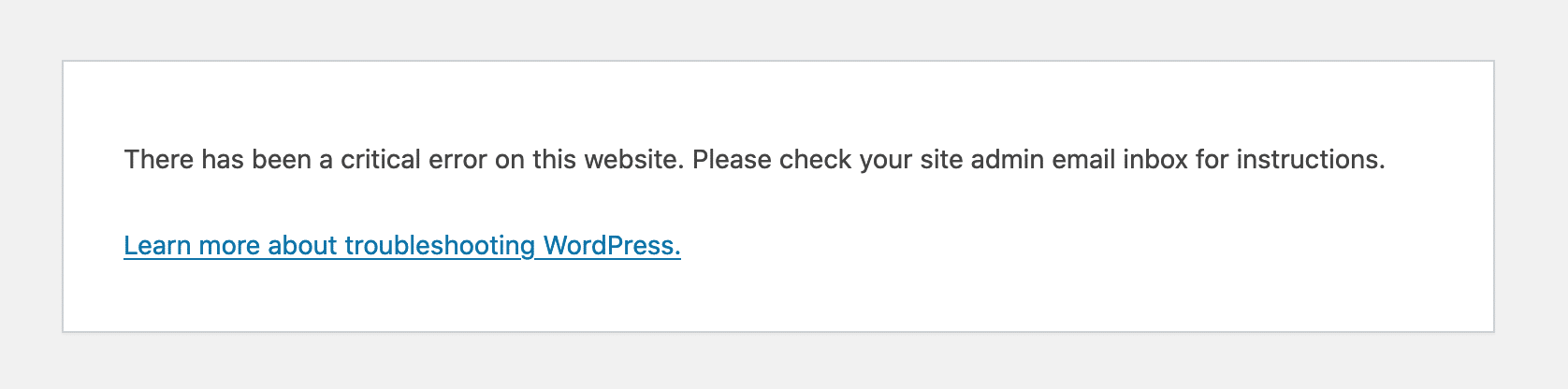
As is traditional in IT and computer work this error message told me absolutely nothing of any use!
Fortunately, if you see this message you don’t need to panic. Your site is still there and nothing’s gone so you can just navigate back to it using the back buttons in the browser.
The Fix
You may need to do this at a time of day when site traffic is low if you have users interacting with the site or on a scheduled maintenance day to ensure that you’re not interrupting a sale or someone’s actions on the site.
Step 1: BACKUP YOUR ENTIRE SITE!!! Seriously, create a backup of everything. This fix shouldn’t create any additional issues or break the site but failure to plan is planning to fail…
Step 2a: Deactivate all plugins. You may need to deactivate them all (except Elementor). The problem, for me, seemed to be only plugins that directly interact with Elementor (in my case it was the Crocoblock/Jetengine suite) but just to be on the thorough side maybe deactive the lot.
Step 2b: Optional step to come back to if the simple Deactivation alone didn’t fix the problem.
Deactivate all plugins except Elementor then go to Elementor -> Tools -> Regenerate Files & Data + Sync Library -> Save Changes (and Recreate Kit if you’re using one) and then update Elementor.
This step courtesy of Gorka Urzaiz on FaceBook.
Step 2c: Optional but advisable, revert to a default WordPress Theme as that’s certain to work well with a barebones WP installation.
Step 3: Click the big blue updater button.
Step 4a: Reactivate plugins 1 by 1 and each time check the front end of the site to make sure that whatever that plugin does has started working properly again.
Step 4b: Reactivate your chosen theme and check the front end.
Summary
This is what worked for me on each of the sites. Their hosting environments were all the same, same PHP, MYSQL etc so it had to be an old fashioned plugin conflict.
I hope that this can help you if you’re having the same issue.
Interested in Elementor?


Post Tags: database update error | elementor | elementor critical error | elementor data updater | elementor data updater error | fix elementor critical error | wordpress elementor errors